

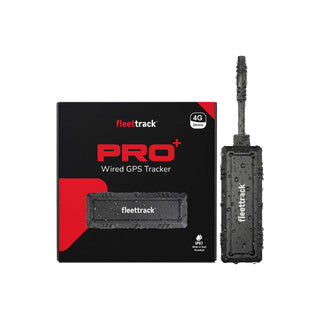


GPS Tracking API for fleet & vehicle data integration
Pull live GPS data from Fleettrack, or let us push it to your server in real time. A simple REST API with JSON responses, webhooks and token authentication — built to drop into your ERP, CRM or software.
# Fetch current data for your fleet
curl "https://app.gpstrack.in/api/get_current_data\
?token=YOUR_API_TOKEN&email=YOUR_EMAIL"

# 200 OK
[
  {
    "reg_no": "TN56T3081",
    "latitude": 8.674342,
    "longitude": 77.615592,
    "speed": 0,
    "ignition_status": "ON",
    "vehicle_type": "EARTH-MOVER"
  }
]Every way to move GPS data into your stack
Pull API
Request current vehicle data on demand with a token-authenticated REST call.
Push API
We POST new GPS data to your endpoint the moment a device reports it.
REST API
Predictable resource URLs and standard HTTP verbs — no proprietary SDK required.
Webhooks
Event-driven delivery so your system reacts to movement, ignition and geofence events.
JSON
Clean, well-structured JSON payloads that map straight onto your data models.
HTTPS
All traffic is encrypted in transit over TLS for secure enterprise integration.
Token Authentication
Scoped API keys and tokens control access and can be rotated at any time.
Real-Time Stream
Near real-time telemetry keeps your dashboards and workflows always current.
Everything the API can tell you about a vehicle
From access request to live data in four steps
Request API Access
Tell us your use case and volume. We provision your integration.
Receive Credentials
Get your API token, key and endpoints, plus test data to validate.
Integrate Your System
Call the Pull API or expose an endpoint for Push into your ERP or CRM.
Receive Live GPS Data
Start consuming real-time vehicle telemetry across your workflows.
Pull & Push, side by side
Switch between the two integration methods. Replace the placeholder token and key with the credentials issued to your account.
curl "https://app.gpstrack.in/api/get_current_data\
?token=YOUR_API_TOKEN\
&email=YOUR_EMAIL"[
{
"reg_no": "TN56T3081",
"latitude": 8.674342,
"longitude": 77.615592,
"speed": 0,
"bearing": 44,
"ignition_status": "ON",
"vehicle_status": "NODATA",
"address": "Test address",
"odo_distance": 2623.63,
"fuel_litre": 0,
"inside_geofence": "N",
"vehicle_type": "EARTH-MOVER",
"device_id": "015770004153"
}
]POST https://api-gw.sovereignsolutions.com/gateway/fmis/tracking-push
Content-Type: application/json
X-Sovereign-Api-Key: YOUR_API_KEY
[
{
"latitude": 8.674342,
"longitude": 77.615592,
"speed": 0,
"date": 1749665036599,
"iso_date": "2025-06-11T18:03:56.599Z",
"odo_distance": 2623.6303367,
"ignition_status": "ON",
"status": "ON",
"vehicle_status": "NODATA",
"address": "Test address",
"reg_no": "TN56T3081",
"vehicle_type": "EARTH-MOVER",
"vehicle_id": "5Foe07",
"device_id": "015770004153",
"expiry_date": "2025-08-27",
"onboard_date": "2024-08-27",
"fuel_litre": 0,
"bearing": 44,
"server_time": 1752260813902,
"inside_geofence": "N",
"triggered_geofences": [],
"row_id": 2
}
]{
"success": true,
"statusMessage": "Ok."
}{
"message": "Unauthorized",
"http_status_code": 401
}Status codes reference
| Code | Message | Description |
|---|---|---|
| 200 | Success | The API call completed successfully. |
| 400 | Bad Request | The request was malformed — a valid request was created incorrectly. |
| 401 | Unauthorized | The key is not allowed to send a request with the given parameters. |
| 403 | Forbidden | The key has hit its maximum usage limit. |
| 500 | Internal Server Error | A server error occurred — contact support. |
| 503 | Service Unavailable | A maintenance break or server downtime is in progress. |
An API built to integrate, not to fight
Easy Integration
Standard REST and JSON that any language or platform can call in minutes.
Secure Authentication
Token and API-key auth over HTTPS, with rotation and usage limits.
Fast Response
Low-latency endpoints return current telemetry without heavy payloads.
Enterprise Ready
Proven with large fleets and enterprise systems in production.
REST Architecture
Predictable URLs and verbs — no proprietary SDK to learn or maintain.
JSON Format
Consistent, well-named fields that map straight to your data models.
Real-Time Data
Near real-time updates through Pull polling or event-driven Push.
High Availability
Resilient cloud infrastructure keeps your integration online.
Dedicated Technical Support
Our engineers help from credentials through go-live and beyond.
Trusted by enterprise customers
Many enterprise customers already use Fleettrack APIs to integrate GPS tracking data directly into their internal software.
How do I get API access?
Do you provide sandbox or test credentials?
Are webhooks (Push) supported?
What authentication method is used?
What data format does the API return?
Can I integrate Fleettrack with SAP?
Can I integrate with Oracle?
Do you support ERPNext?
Do you support custom software?
How often is GPS data updated?
Is rate limiting applied?
What fields are included in the vehicle data?
How do I know a request succeeded?
What happens if my endpoint is down during a Push?
Where can I get technical help?
Ready to integrate Fleettrack into your platform?
Get API credentials, sample data and a technical contact — and start pulling live GPS data into your ERP, CRM or software.